01
Name the person who watches
Your name, their email, their mobile, and the rules you are swearing. They have to accept the email before any alert goes out.

Extension setup
Chrome or Edge. Tradovate stays in that same window. Six steps. The pictures are the whole install.
01
Your name, their email, their mobile, and the rules you are swearing. They have to accept the email before any alert goes out.
02
One trader. The lookout seat is free.
03
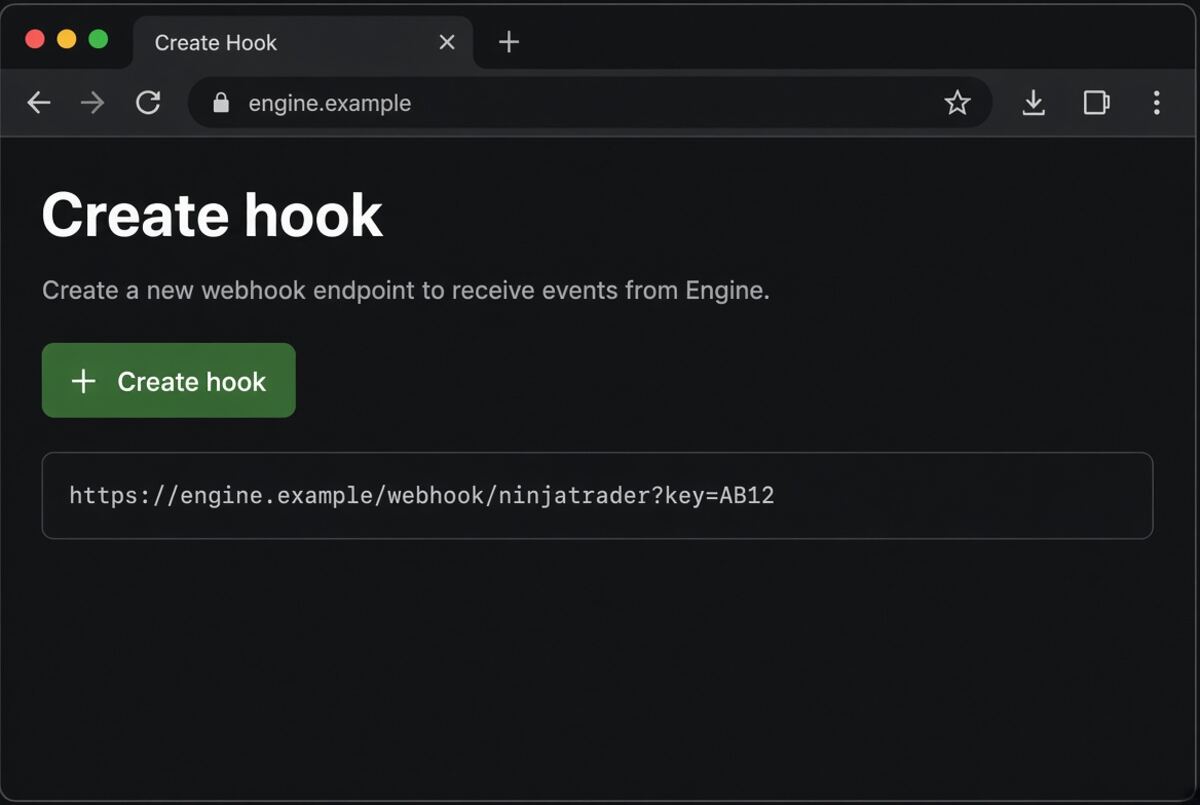
This is the private address the extension uses. Click Create hook, then copy the whole line.
04
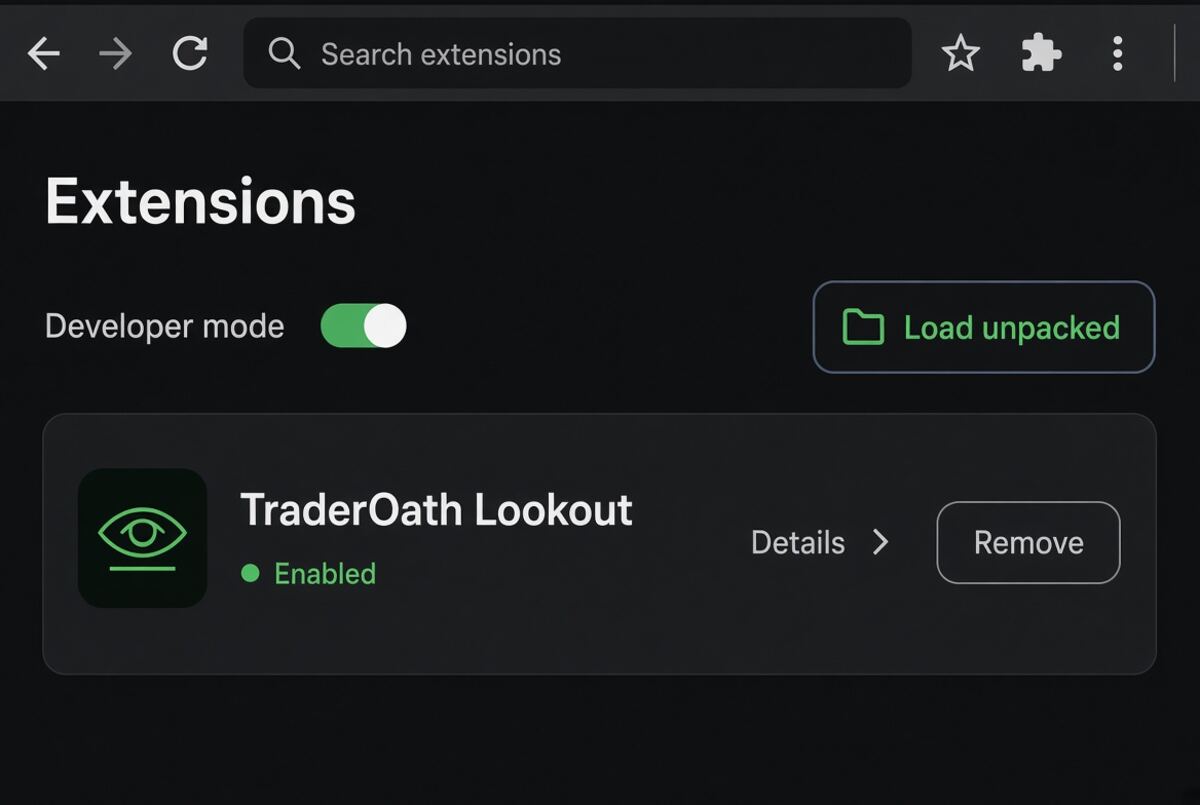
Download the folder and unzip it. Chrome: open chrome://extensions. Edge: open edge://extensions. Turn Developer mode on. Click Load unpacked and choose that folder.
05
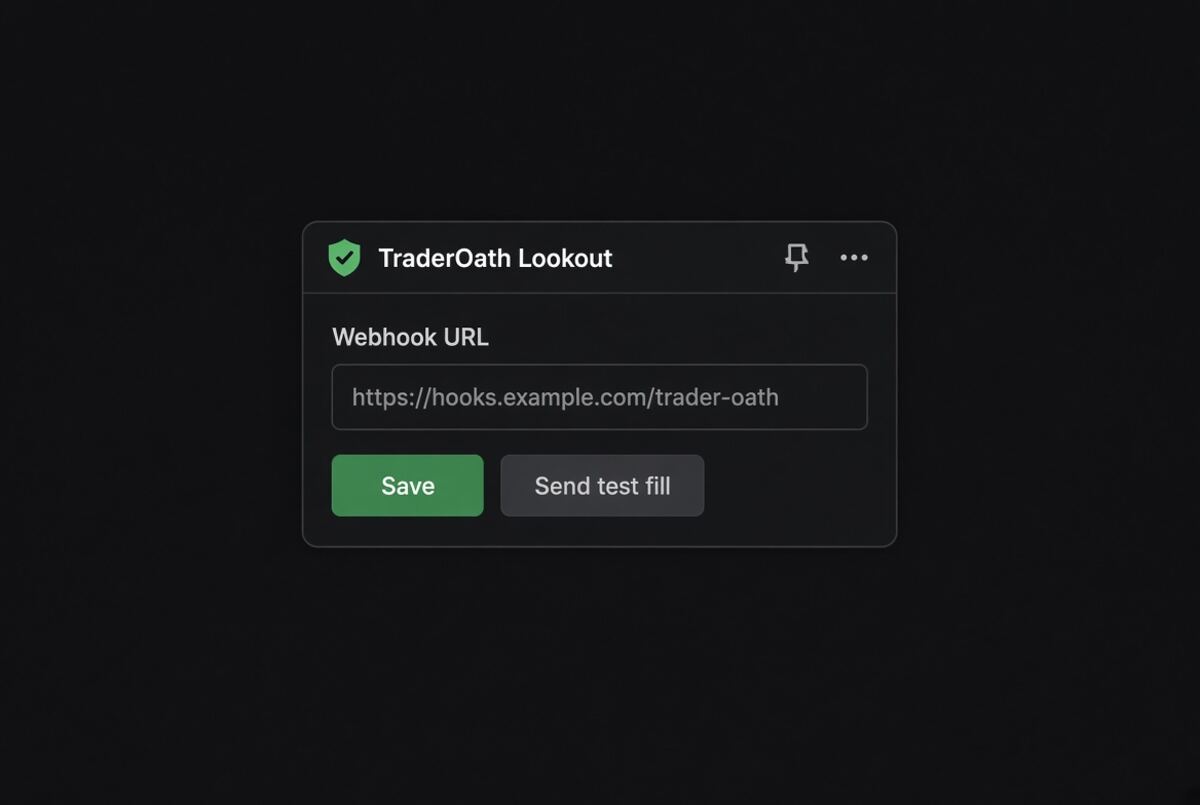
Click the puzzle piece. Open TraderOath Lookout. Paste the hook. Save. Send test fill. You want a 200 and a text on the lookout’s phone.
06
Open Tradovate here and leave the tab open. A fill texts the lookout. Firefox, Safari, the Tradovate desktop app, and the phone app are not watched.
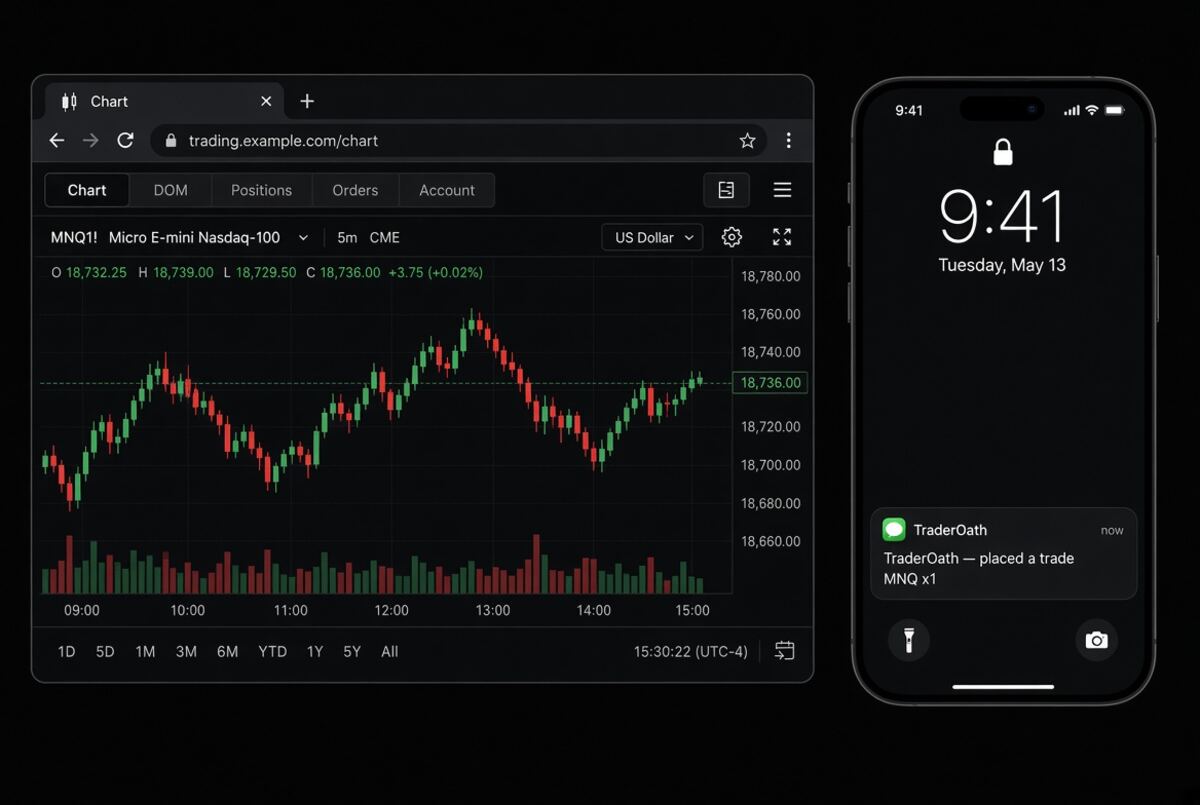
Close the browser and the watch pauses. Open it again and the hook is still saved. You do not repeat steps 03–05.
Already on NinjaTrader? Use that path instead.